Turn the materials you hunt for into options you can actually use
We connect the clues scattered across photos, articles, and dozens of sites to materials you can actually buy. Find the product name, price, dimensions, and where to buy it in one place, and see right away how your combination looks in a room.
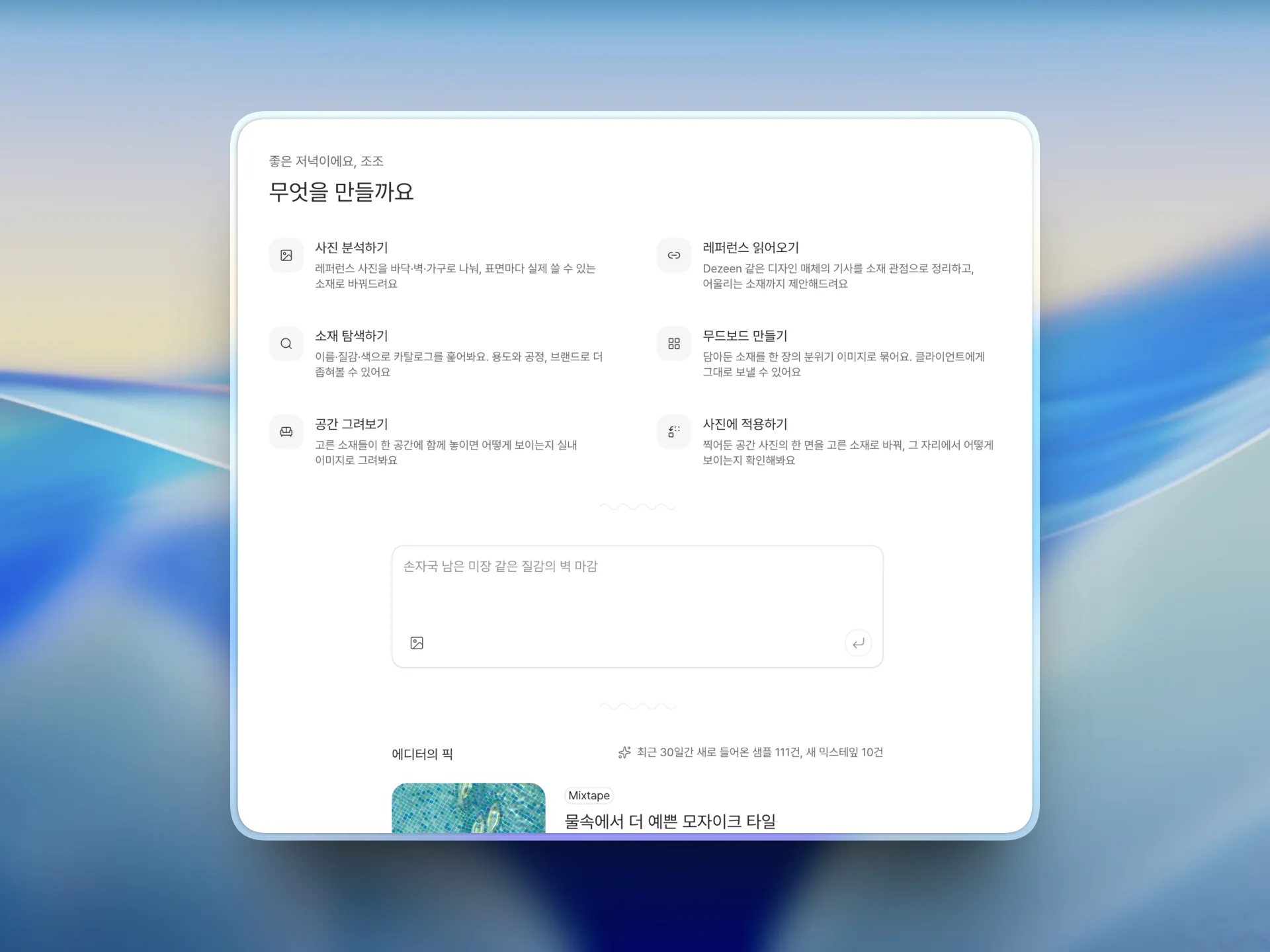
Spend less time finding and deciding on materials
A project doesn't always start from a single photo. A material you can't name, an image a client sent over, a vague set of requirements, a reference you saved months ago — any of them can be the lead that finds a material you can actually use.


- 01
Find it even when you don't know its name
Upload a photo or an article link, or just describe the look and the requirements in a sentence. We read the floor, wall, and furniture surfaces in the image separately and come back with materials that match, each with the reasoning attached.
What you getMaterials you can actually buy, and why each one was picked
- 02
Search results turn into real options
It doesn't stop at good-looking images or roughly similar materials. For products you can actually buy, the price, dimensions, composition, and where to buy them are all in one place. The properties behind a material are laid out as a map too, so you can tap the property you're after and keep going through similar materials that share it.
What you getProduct details you can buy from, plus similar materials found by property
- 03
Gather the candidates and narrow the call
Collect the materials you found on a project board to compare them, and sort them into shortlisted, on hold, and out. You can leave the reason you picked or dropped each one, so you never have to dig back through a pile of images and links.
What you getA project board with the materials to review and the reasoning behind each call
- 04
Turn the materials you picked into something you can present
Build a mood board from the materials you chose and use it in your proposal and your decision-making. You can also render the combination as a room or apply it to the walls and floor of a site photo, turning options you used to describe out loud into something everyone can see.
What you getA mood board and room images you can drop straight into a proposal
- 05
What you find and build carries into the team's next job
The materials you reviewed, the reasons you chose them, and the mood boards and room images all stay with the project. When someone new joins the team or a similar brief comes in, you can pull up past work and reuse it, and for some materials you can get render-ready images too.
What you getA project record the team can pull back up and build on
One image and one line is all it takes
Upload a reference photo, or write down what the material needs to do. We read the floor, wall, and furniture in the photo separately and show you materials you can actually buy, along with why each one came up. Paste a link to a design article and it reads that too.
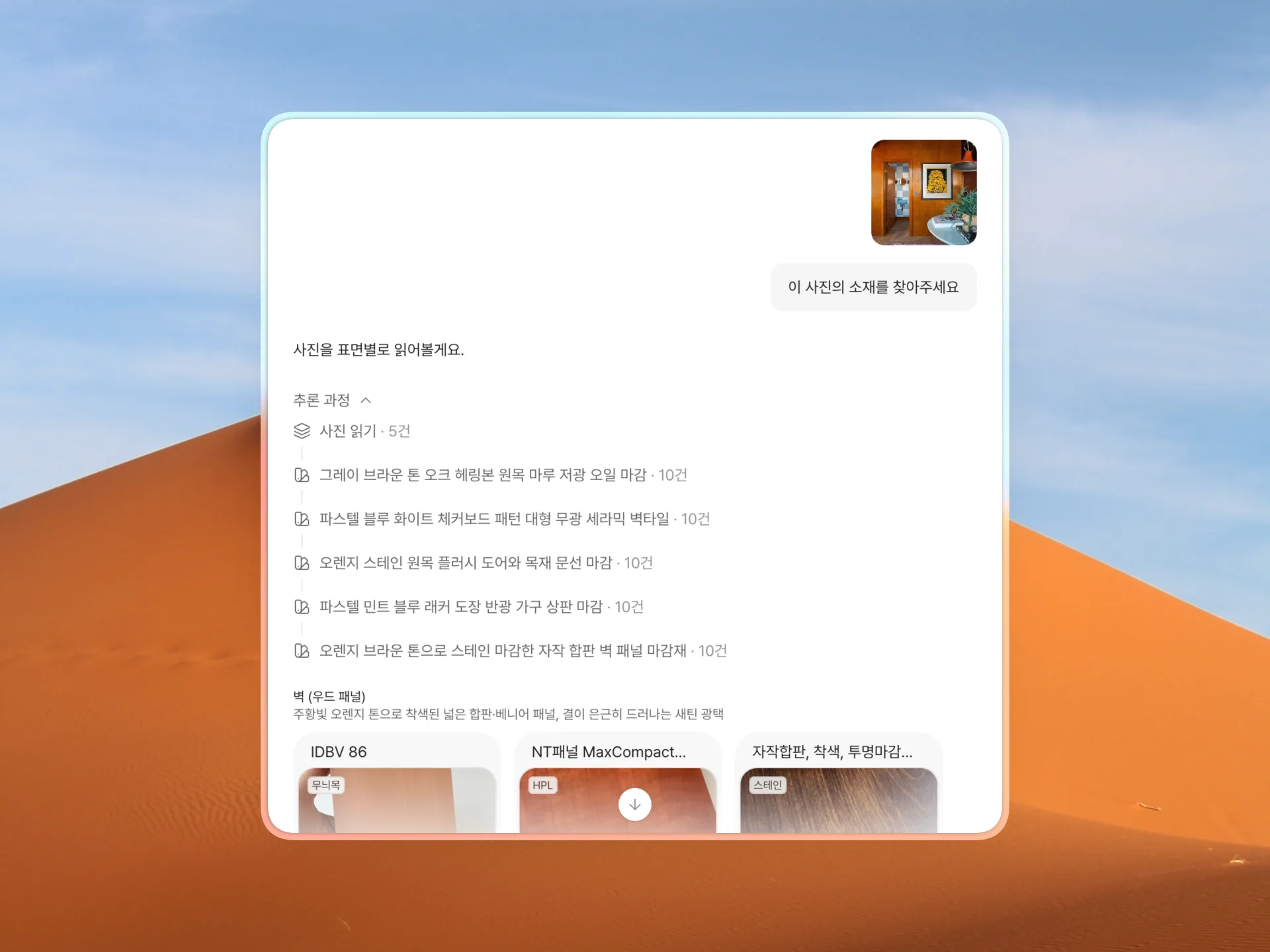
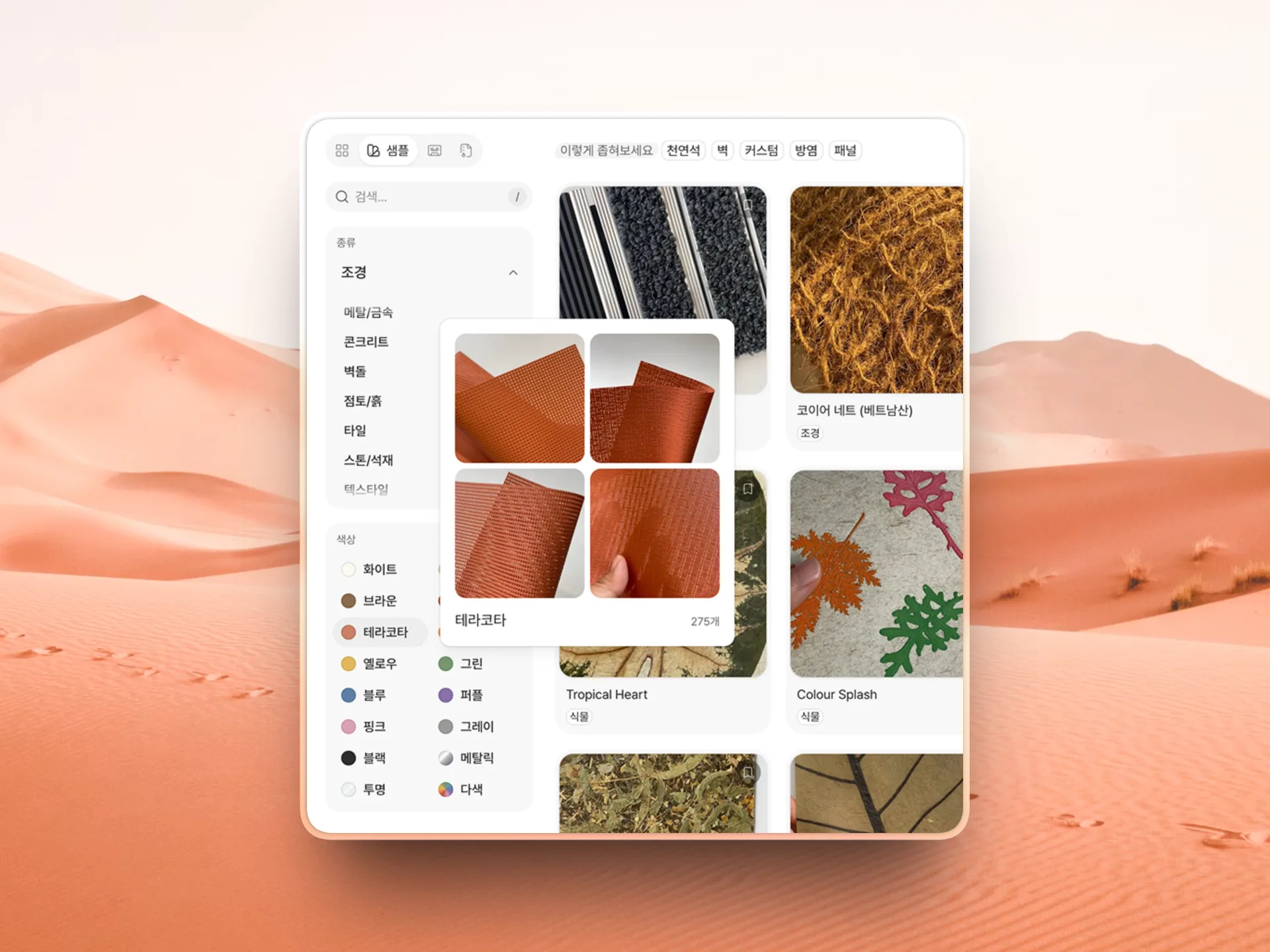
Narrow materials down by the conditions that matter
Search by material, usage, process, performance, and shape, then tap a property on something you like to keep going through similar products. You can also find materials in mixtapes and archives grouped around a single theme.
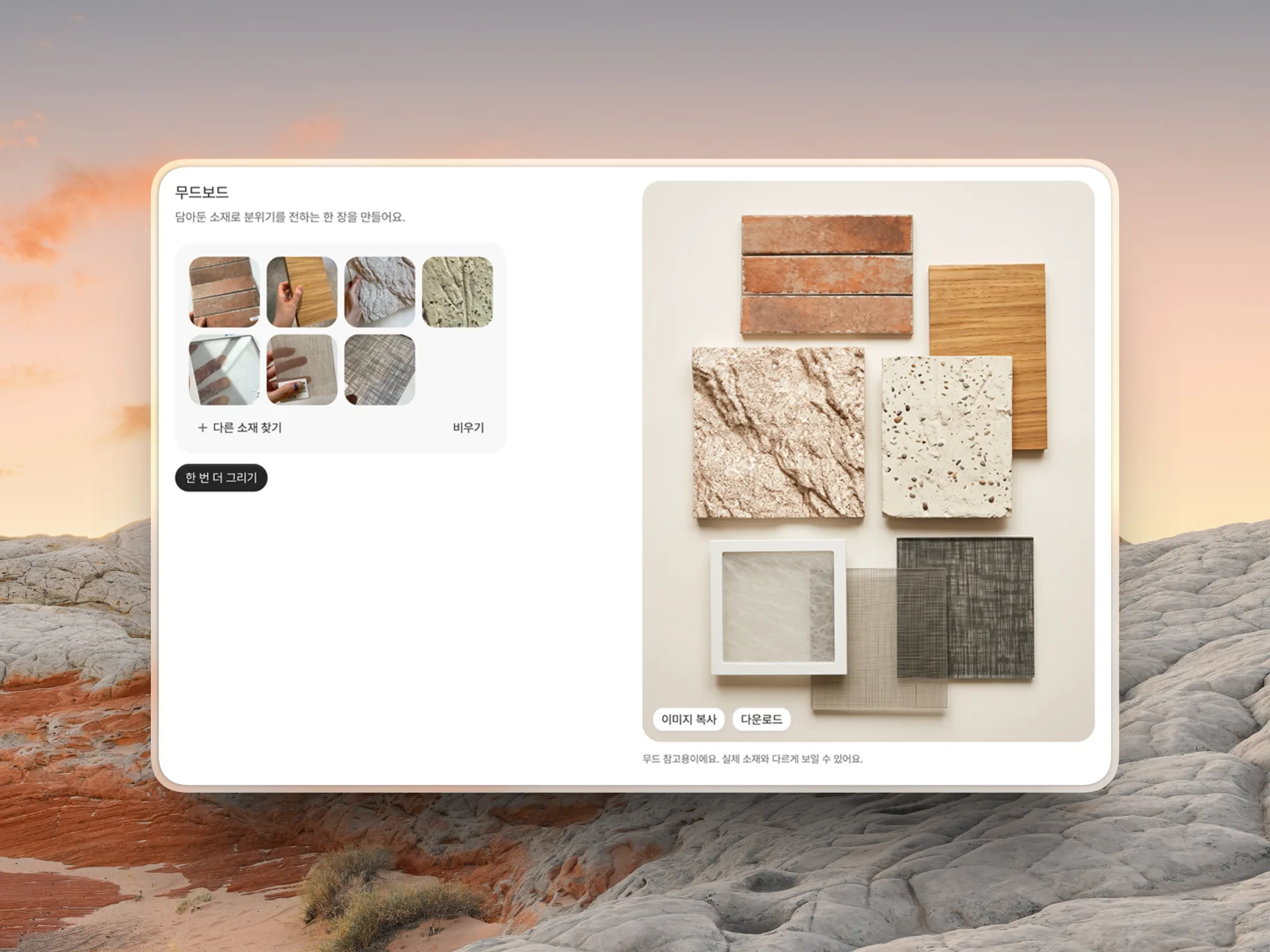
Turn the materials you picked into one mood board
Pick up to eight materials and you get a mood board image with the samples laid out together. Compare their colors and textures side by side, or drop it into a proposal.
See the materials on your board as a room
Say where each material goes — wall, floor, counter, ceiling — then enter the kind of room you want and how big it is. Describe it like “a 570 sq ft clothing store or a café” and we'll draw the room with your combination applied.
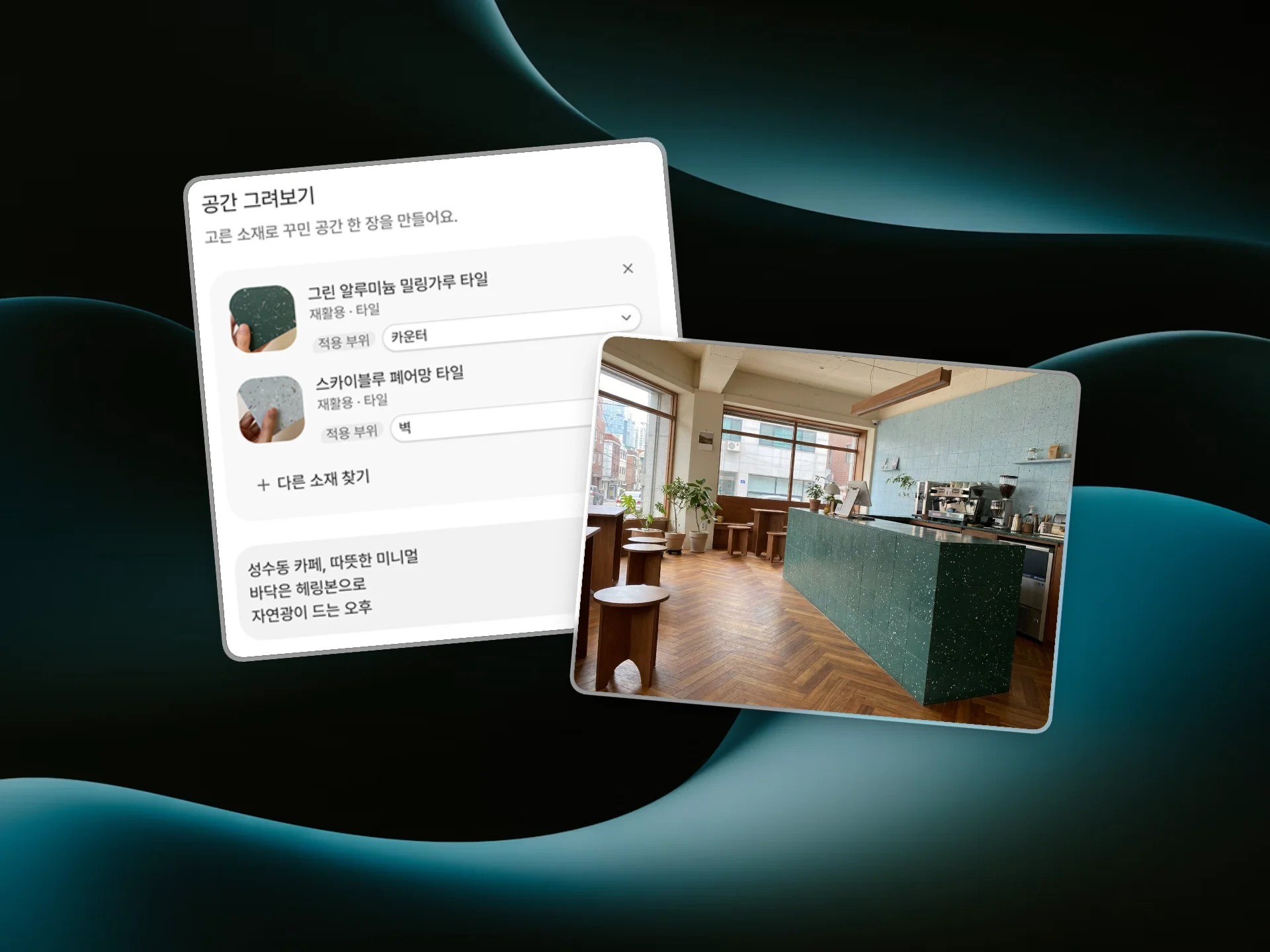
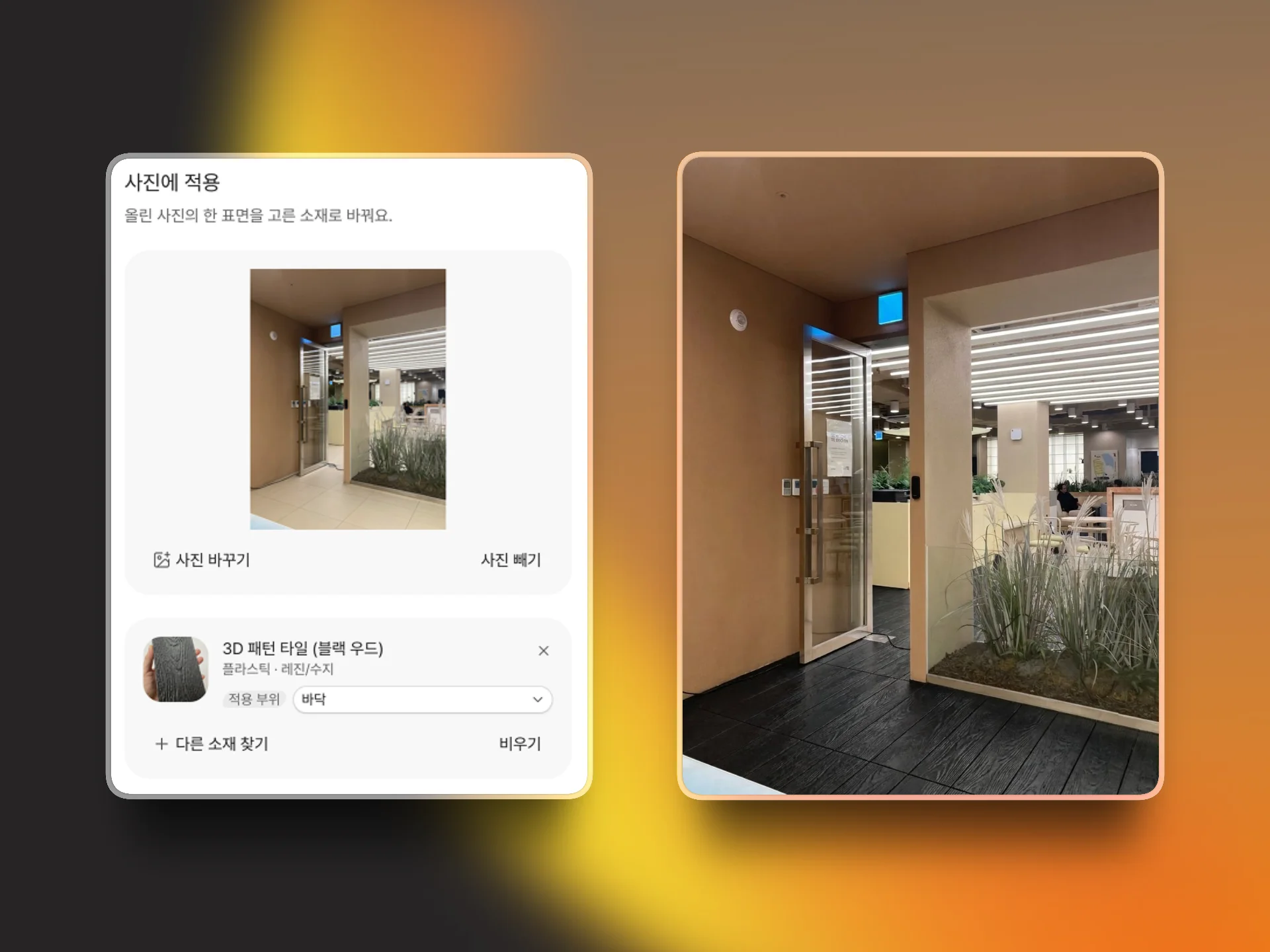
Redo a space you photographed in the material you picked
Choose the wall or floor you want to change in a site photo, then pick a material from your board. You get a fast look at how the material sits in the space, before you model and render anything.
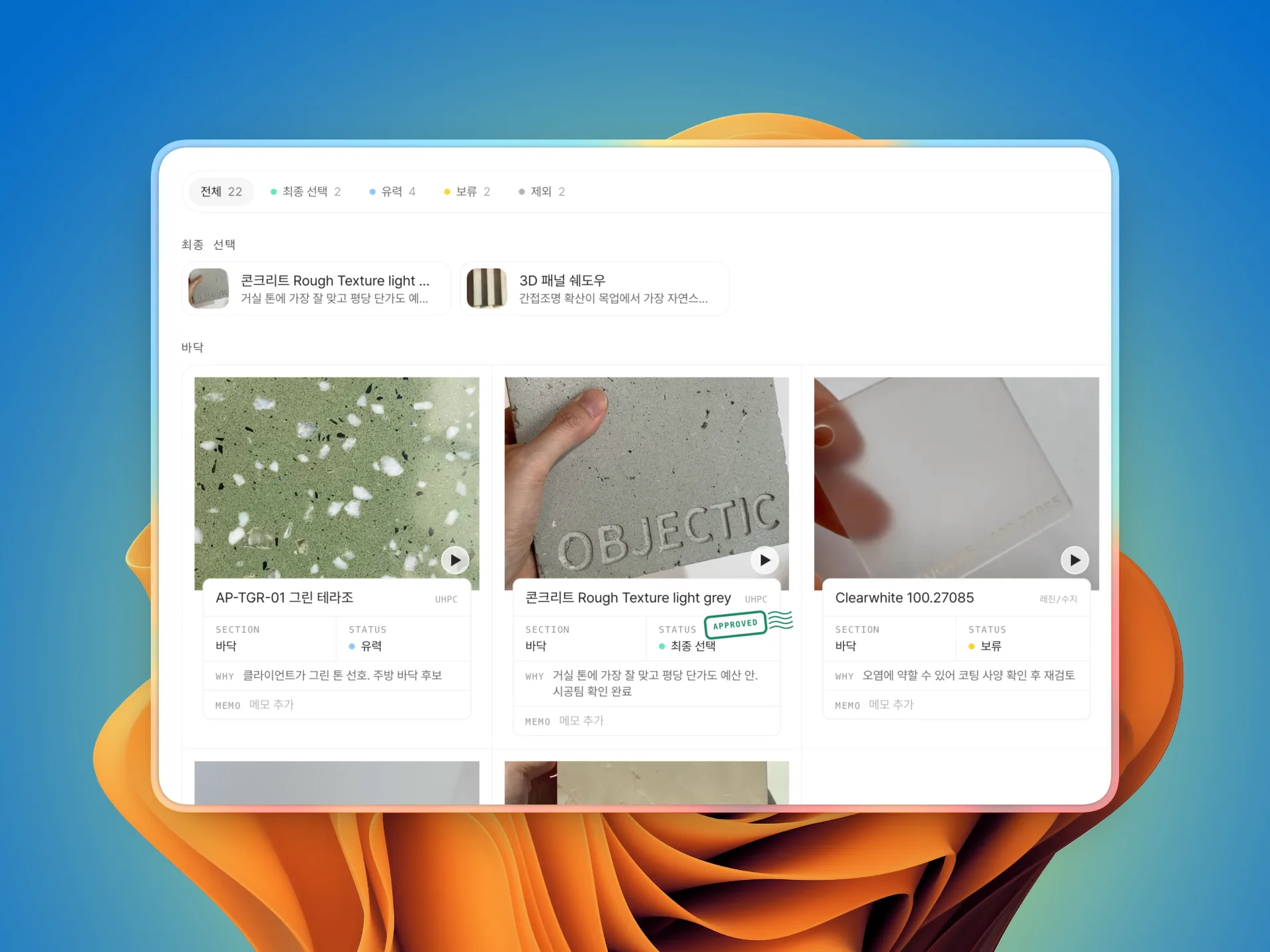
What your team finds and picks keeps building up
Keep the materials you found, the reasons you picked or dropped them, and the images you made, all gathered by project. Your team follows the same review, and on a similar project you can reuse the materials and the calls from last time.
Everything you need to vet a material, in one place
Product specs, supplier details, and a map that leads you to materials with the same properties, all on one screen. For some materials you can also download a surface image for mood boards and a texture for rendering.
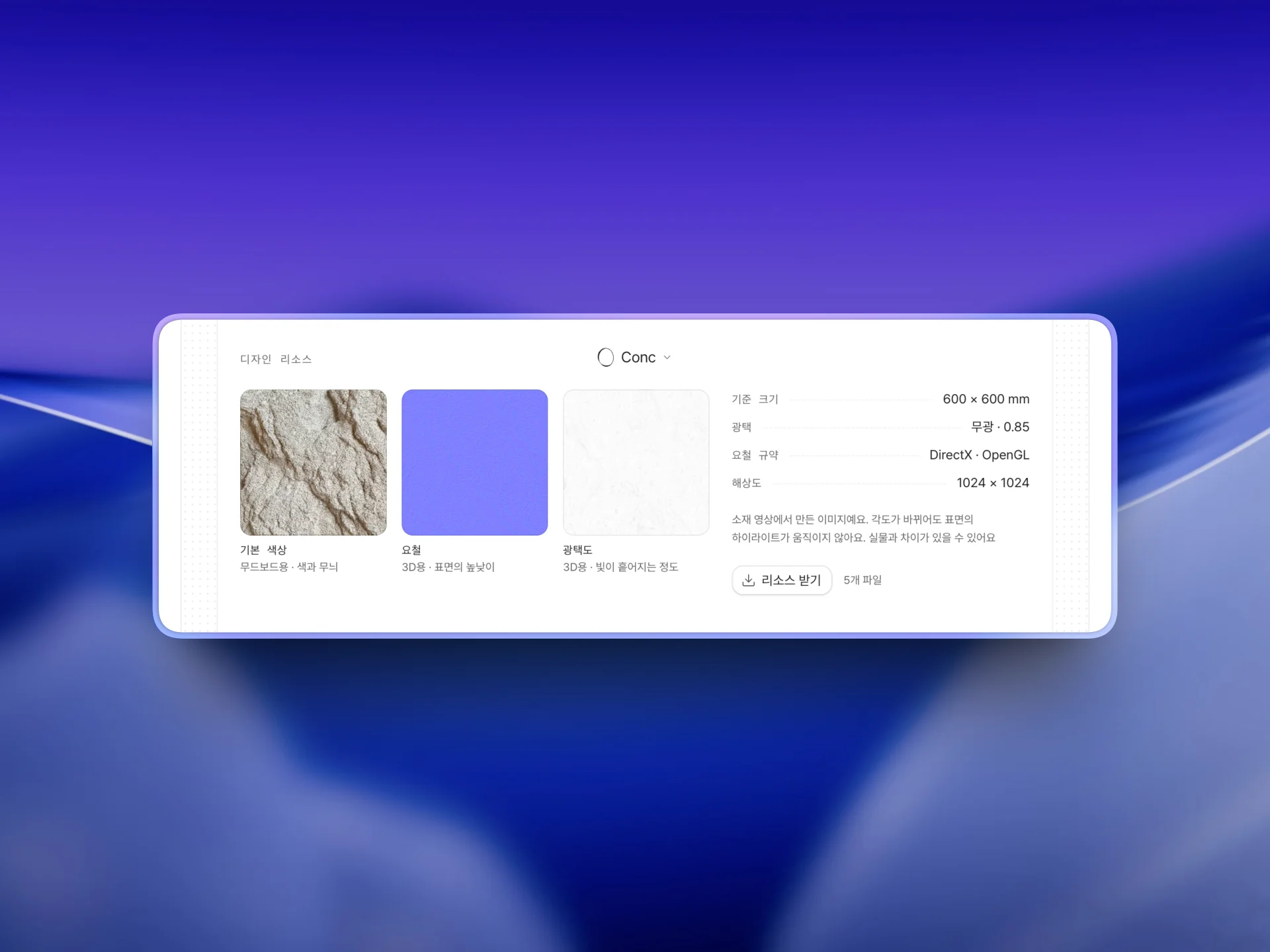
Put the design resources to work
Depending on the material, you get a head-on surface image for mood boards and a texture for rendering. That's less time spent hunting down a lookalike image or editing one yourself.
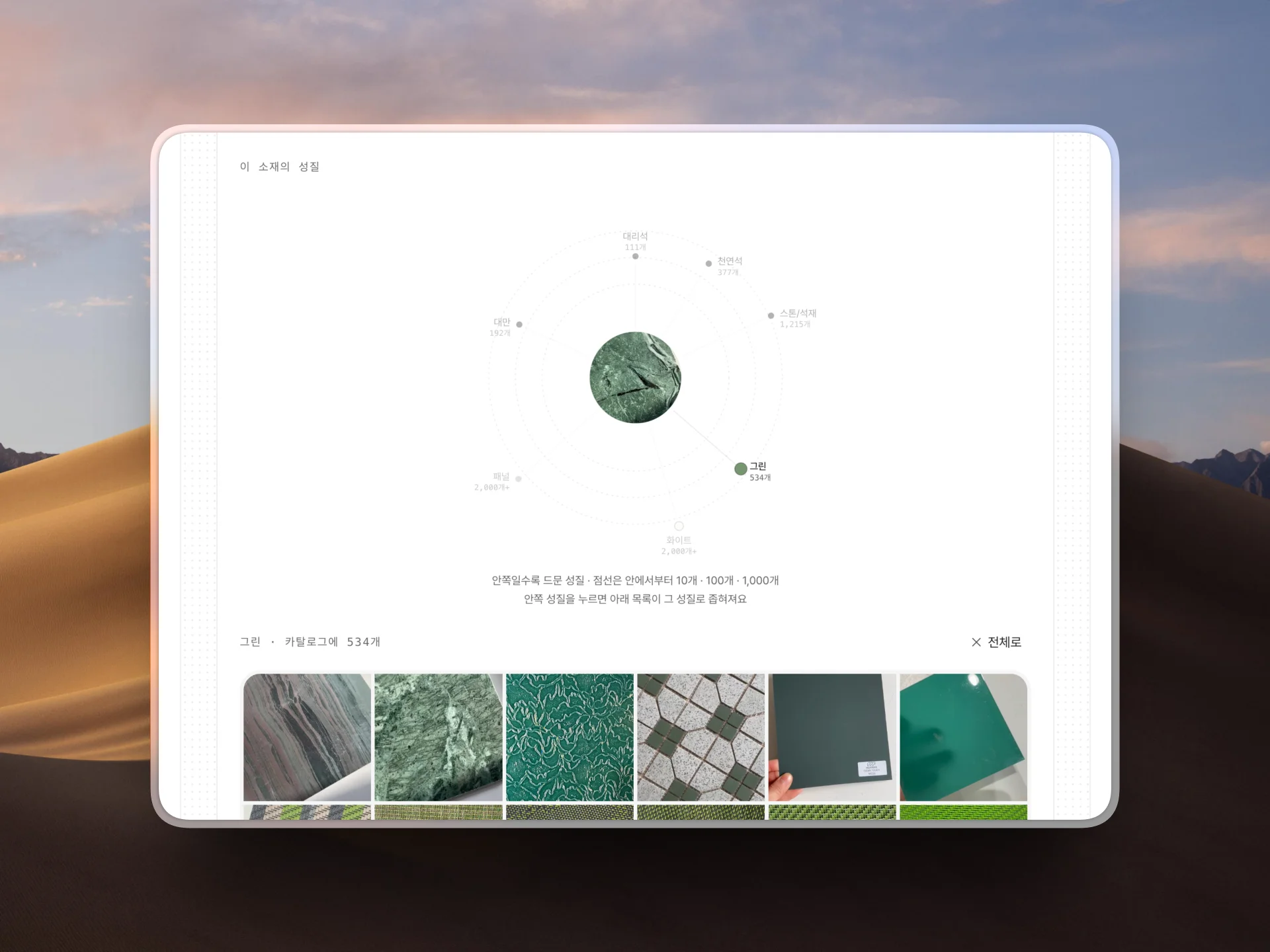
Compare materials that share a property
The properties behind a material — material, usage, performance, shape — are laid out as a map. Pick the property you are after and you can gather just the materials that share it and compare them.
Get prices and lead times with a quote request
Add the materials you like to a quote request and send it to get prices and lead times. Something you saw elsewhere works too, with just a photo or a link.
Go straight to the supplier and the contact
Everything from the brand and supplier to the address, phone number, and the contact's email is laid out for you. You can talk samples or orders through with them directly.
Check the price and the specs
Price, composition, size, thickness, minimum order quantity, and lead time are all on one screen. You can tell whether a material fits the budget and the schedule before you ask the supplier.
Start on Free, and get everything on Pro.
Free
$0.00
Enough to look around, keep a few, and get quotes.
5 material sourcing requests
Browse the catalog
1 board · save up to 20 materials
Send quote requests
Pro
$24.00/ mo · seat · billed annually
The price of a designer's hour.
Price · size · composition · supplier contact
Download surface images and textures
Every related material and mixtape
Explore materials
Analyze a photo
Read a reference
Make a mood board
Draw it as a room
Apply to a photo
Unlimited material sourcing
Unlimited boards
Offline sample library visits
Priority support
The Conc team's undying gratitude
Frequently asked questions
You can try material sourcing and a project board for free, and materials are open to browse in explore. Search and filters come with Pro.
You can invite teammates to your workspace on the free plan too. Boards are shared workspace-wide, and Pro billing is a per-seat monthly subscription.
Interior and architecture materials hand-curated and structured by the Conc team — brand and supplier relationships, composition, dimensions, and pricing specs included.
For anything — product questions, billing, feedback — email us at support@concseoul.com. We'll get back to you as soon as we can.