Take a material into your own work
Design resources are now on material pages. Download the surface flattened into an image, drop it straight into a mood board or proposal, and take the same material into 3D.
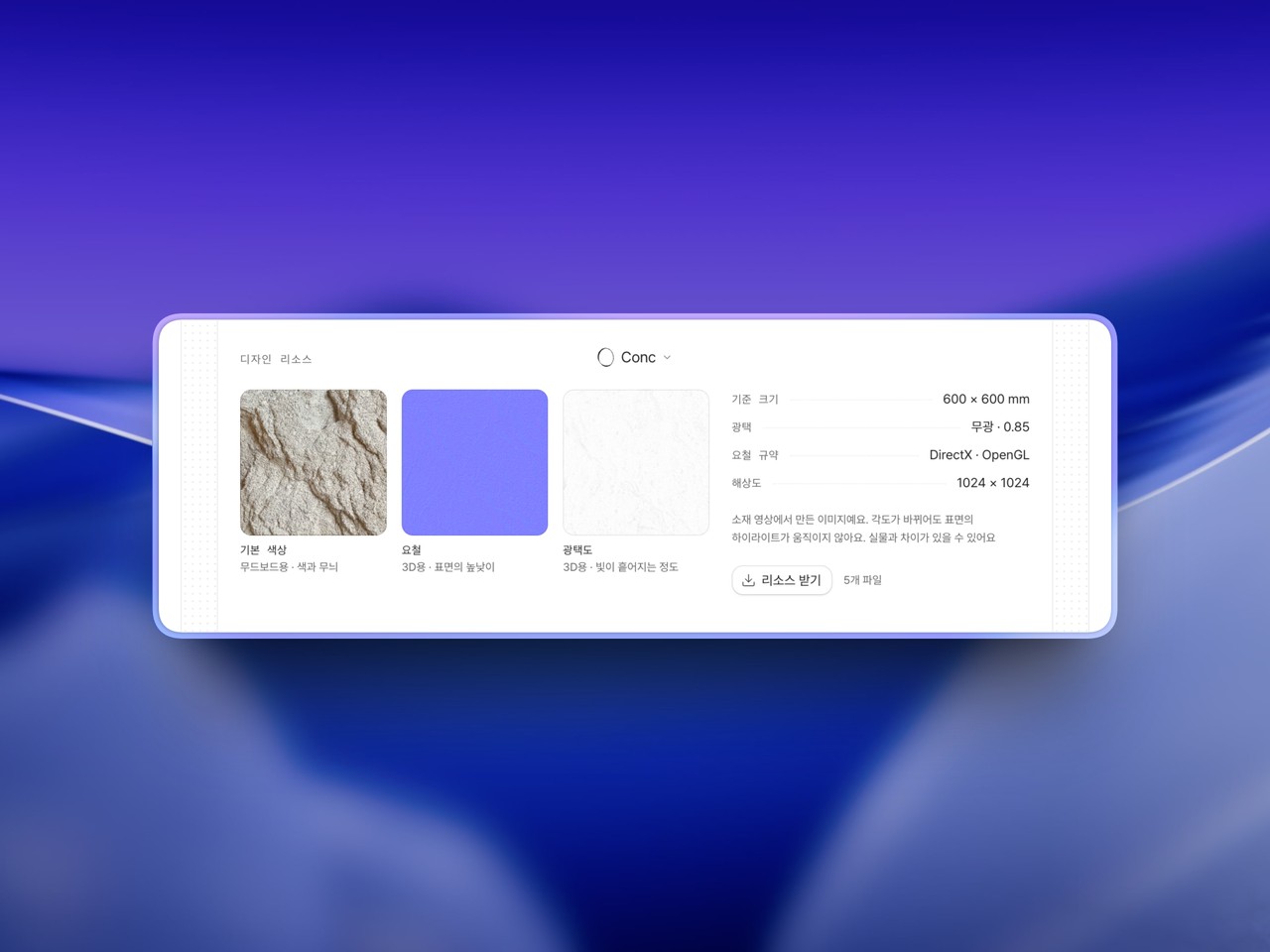
Finding the material was never the hard part — what came after was. Screenshot the page, crop out the angle, wrestle it onto a mood board. Now you can take it straight from the material page.
The surface, flattened into an image. Shot head-on, so nothing tilts when you place it and no lighting sits on top of it. It goes into a proposal exactly as it is.
What you need for 3D comes along. Files describing the surface relief and how light scatters across it are in the same download, ready for SketchUp, D5, or Enscape. Renderers disagree on which way to read a relief map, so both versions are included and either one will work.
One download, five files. They arrive as a folder named after the material, with a small file recording its reference size and gloss reading — so it still makes sense months later.
Made from the material's own video. Every material in Conc carries a short clip of the real sample, filmed in hand. The angle shifts as it's shot, which is what separates the surface's real texture from the light falling on it — and it's how the gloss gets read, by watching where the highlight travels. They are generated images, so expect some difference from the material in hand.
About one material in two is ready today. It starts with opaque materials that have a pattern — tile, wood, stone, plaster, paint, textile — and leaves out the ones whose whole character is transmission or reflection, where what gets filmed is the room around the sample rather than the surface itself. Where a material is ready, you'll find design resources on its page.
Available on Pro. Open a material you like and take a look.