Simpler filters in Explore
Narrowing materials in Explore meant opening one lookalike box after another. Now you pick a category and add only the conditions you need.
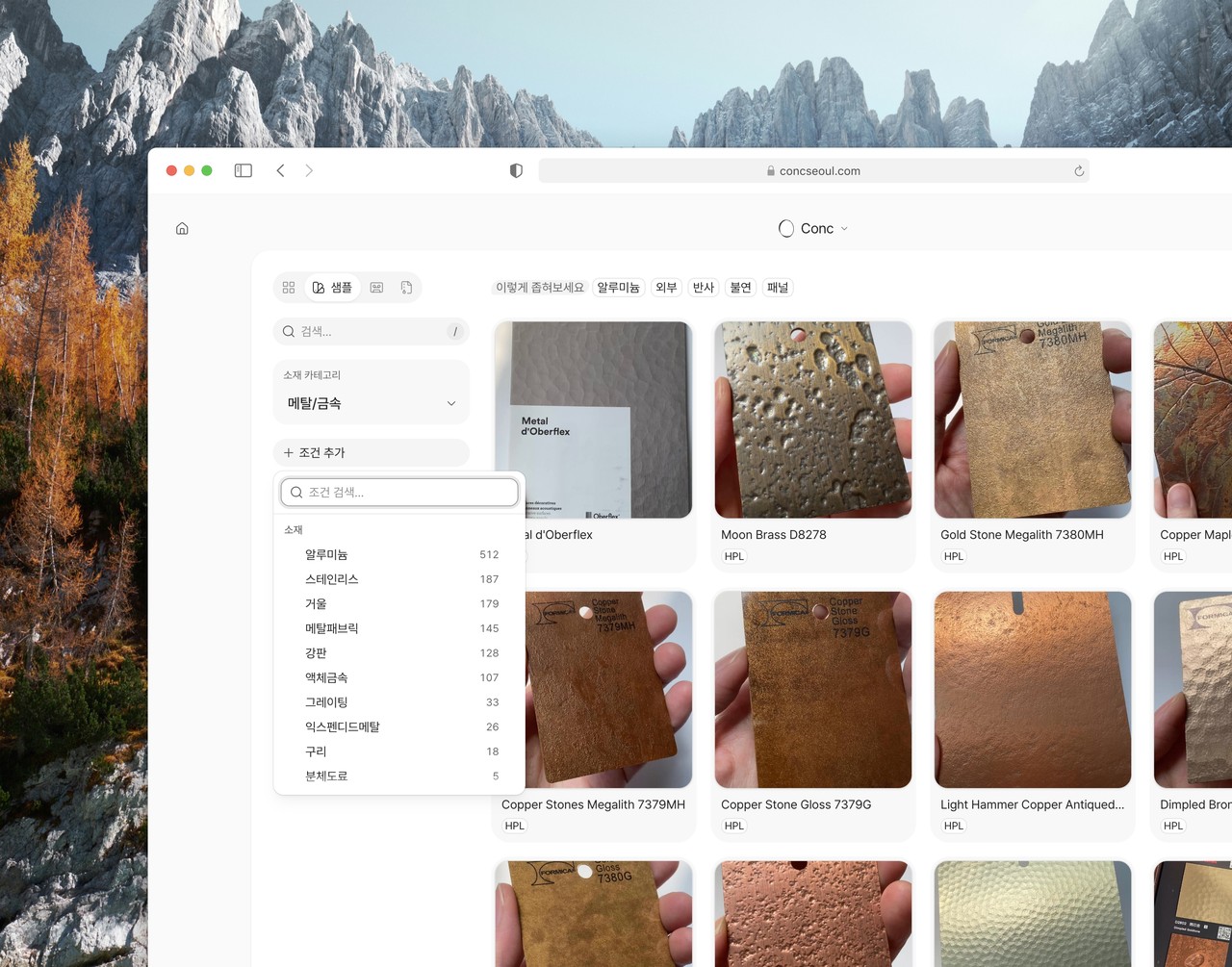
Narrowing materials in Explore meant opening one lookalike box after another. Now you don't have to.
Start with a material category. Going into a broad family — wood, tile, textile — was already the move people made most often when filtering, so it's the first step on screen now.
Everything else lives behind "add condition". Use, finish, property, form, and brand each had their own box; now they share one you can search. Knowing the name is enough, even when you don't know which family it belongs to. What you pick stays on screen as a tag. You can see what's on at a glance and drop them one at a time.
When there's a lot to look through, "try narrowing by" appears above the results. It only offers conditions that would actually cut the list down.
A handful of smaller things you meet while filtering got tidied up along the way.