Follow a material to the next one
Material pages now draw what makes a material itself. See which of its properties are the rare ones, press one to narrow what follows, and meet materials that resemble it across categories. Mixtapes show what they are made of, too.
Gathering candidates goes in a loop: open a material, go back to the list, change the search, try again. Narrow by flooring, or by olive? The next term is a guess every time.
Now you can go from the material in front of you straight to the next one, without the trip back.
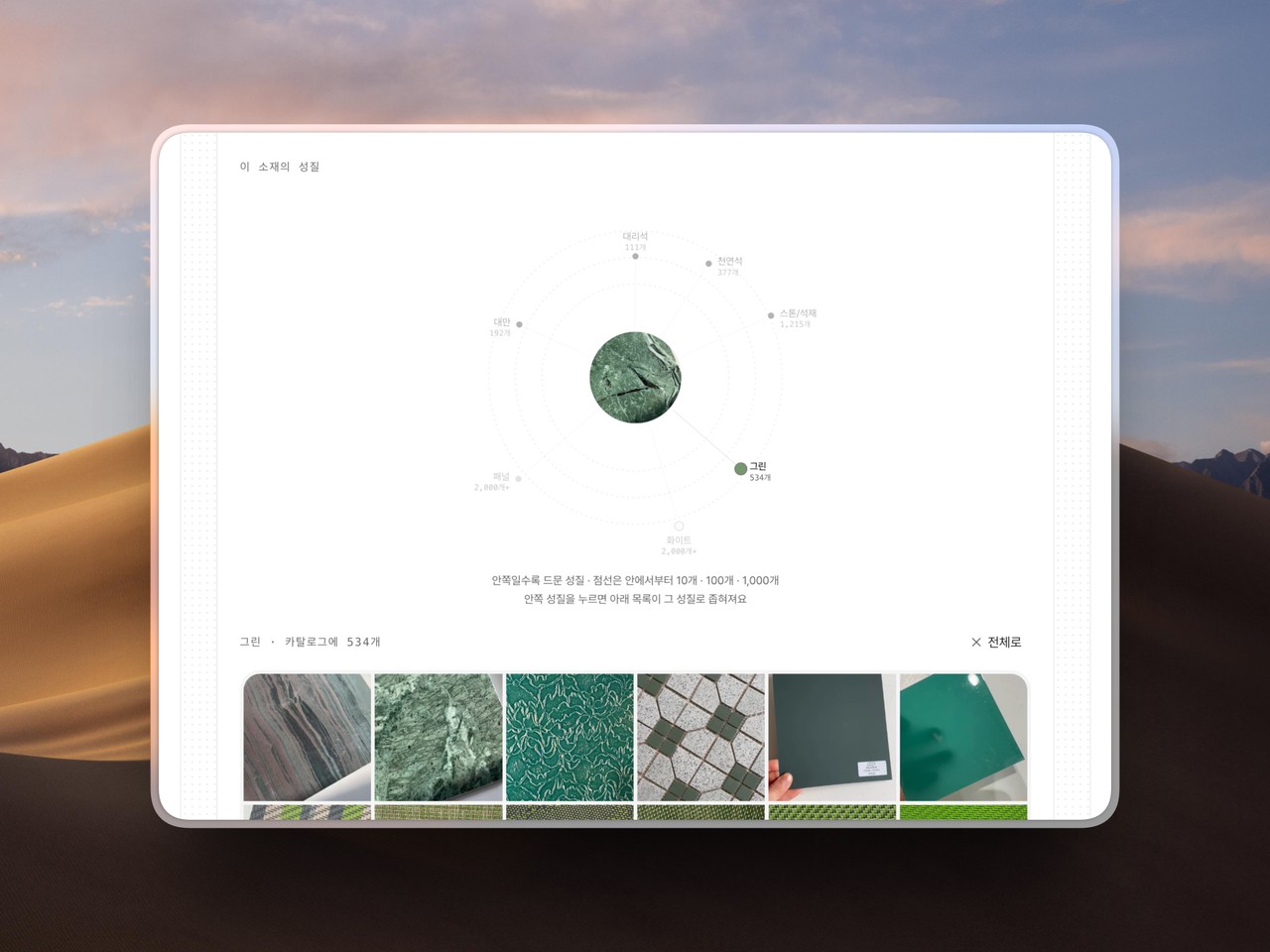
What this material is: The rare properties, the ones that pin it down, sit near the centre; the ones the whole catalogue carries sit out at the edge. The closer in, the more it is what makes this material itself.
Press to narrow: Press one of the inner marks and the list below becomes materials carrying that property. Moving to another property, or back to all of them, is one press either way.
Similar mood: Not the same category, but the same feel. You will meet a tile while looking at a wallpaper, and the heading names the colour family the row was gathered on.
What a mixtape is made of: What its materials share and where they part is now drawn on the mixtape page. Point at a material and lines run to the properties it carries. Below that are other mixtapes made of the same materials, gathered under each one. A mixtape whose materials never vary shows the summary without the drawing.
The related rows are laid out as one sheet now, so everything arrives on screen instead of waiting behind a sideways scroll.
Open a material and start with the mark nearest the centre.