Look around before you search
Explore has been rebuilt. The first screen now lays out material kinds, collections by condition and a material of the day. There's a new Cases tab too, with more than 500 spaces that were actually built.
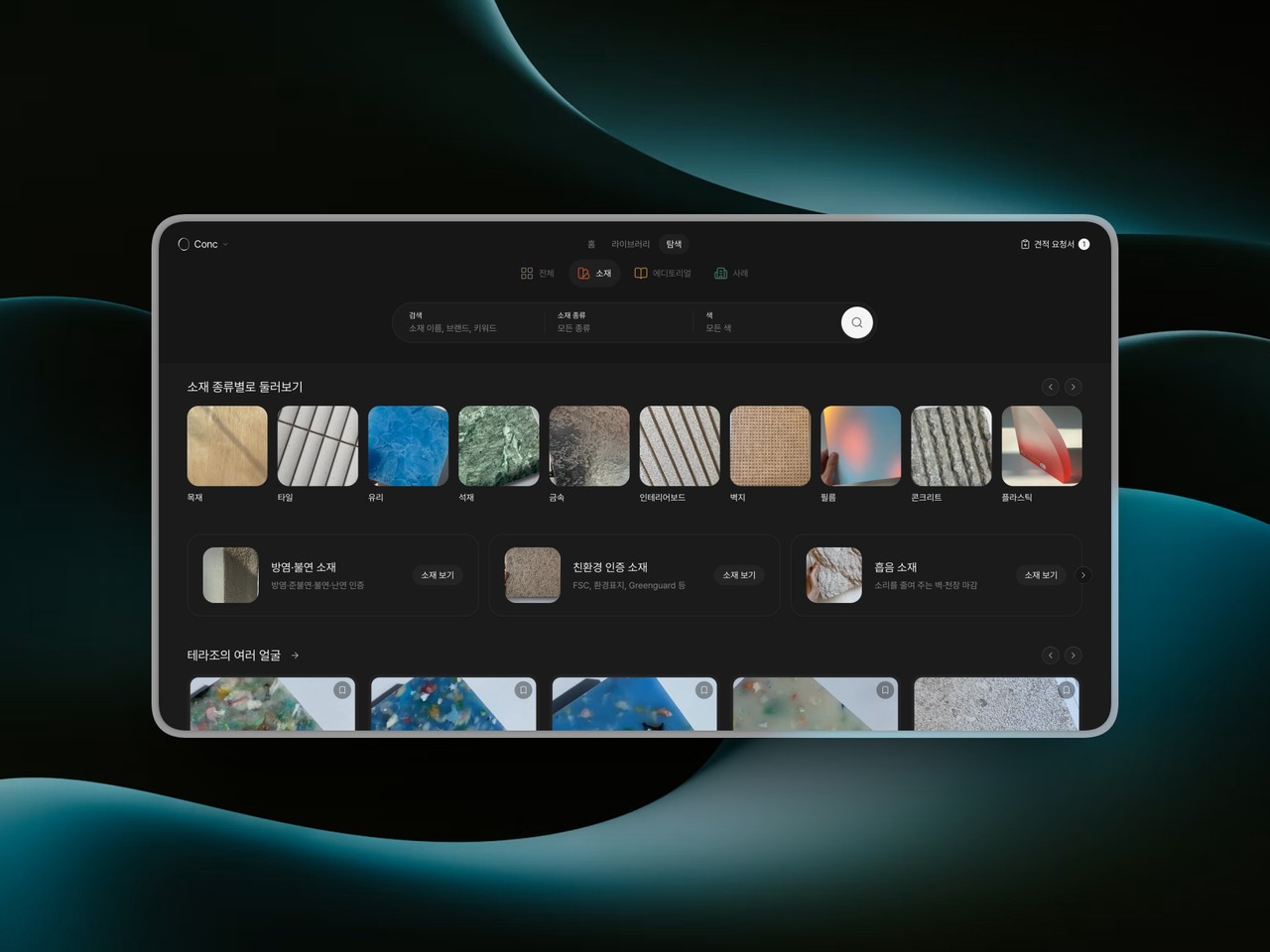
Opening Explore used to mean thinking of a search term first. What you could narrow by only showed up once you opened the filters, and the first screen said little about what the catalogue actually holds.
Now there's plenty to look through before you search.
Four tabs: All, Materials, Editorials and Cases. The search bar is split into fields that change with each tab, and each field's name is something you can filter by. Materials are found by kind and colour, cases by type and city.
Start from the first screen: On the Materials tab, a way in for each kind, like tile, stone or wallpaper, comes first, followed by fire-rated and acoustic collections and rows of new materials and what's popular right now. The Editorials tab ranks what's most read lately, refreshed every day.
Today's material: The All tab picks one material a day and brings photos of spaces where it shows, its samples, and reading about it into one place. Marble one day, brick the next, so there's a different one each time you drop by.
There's a new Cases tab, too. Spaces used to live in magazines and on social media, and materials lived on Conc. Now you can browse spaces that were really built, and go from a photo straight to the materials.
More than 500 spaces in 190-plus cities: Cafés and restaurants, homes, shops and hotels, along with exhibitions and pop-ups, installations and furniture. Every case comes with its designer, its city, photo credits and a link to the original story. Seoul has the most, followed by London and Tokyo.
Similar materials beside every photo: Open a photo and "You might like these" appears next to it, with around fifteen Conc materials that resemble the floors, walls and ceilings in the shot. Press one to open its page, or save it to a board right there.
Scan photos by area and surface: Pick an area like kitchen and bar or exterior, or a surface like floor or countertop, and the results turn from cases into photos. Add a case type and a city and it narrows to something like the kitchens and bars of cafés and restaurants in Seoul. On the first screen, "Microcement floors" or "Lime plaster walls" gathers just those surfaces from many spaces.
From a material back to spaces: Material pages now have "Cases that picked it as similar". The spaces gathered there show surfaces that resemble the one you're looking at, so you can picture how it might read in a real room.
Open Explore and look around the first screen, then in the Cases tab, press a photo that catches your eye.