Pick the materials as you go
You no longer need materials saved to start. Choosing a material now opens onto the whole catalogue, so you can narrow it by color and swap things around without closing it.
Making a mood board began with having materials saved. That meant a trip to Explore to gather them, back to the tool to begin, and another trip when one was missing.
Now you can start with nothing saved at all.
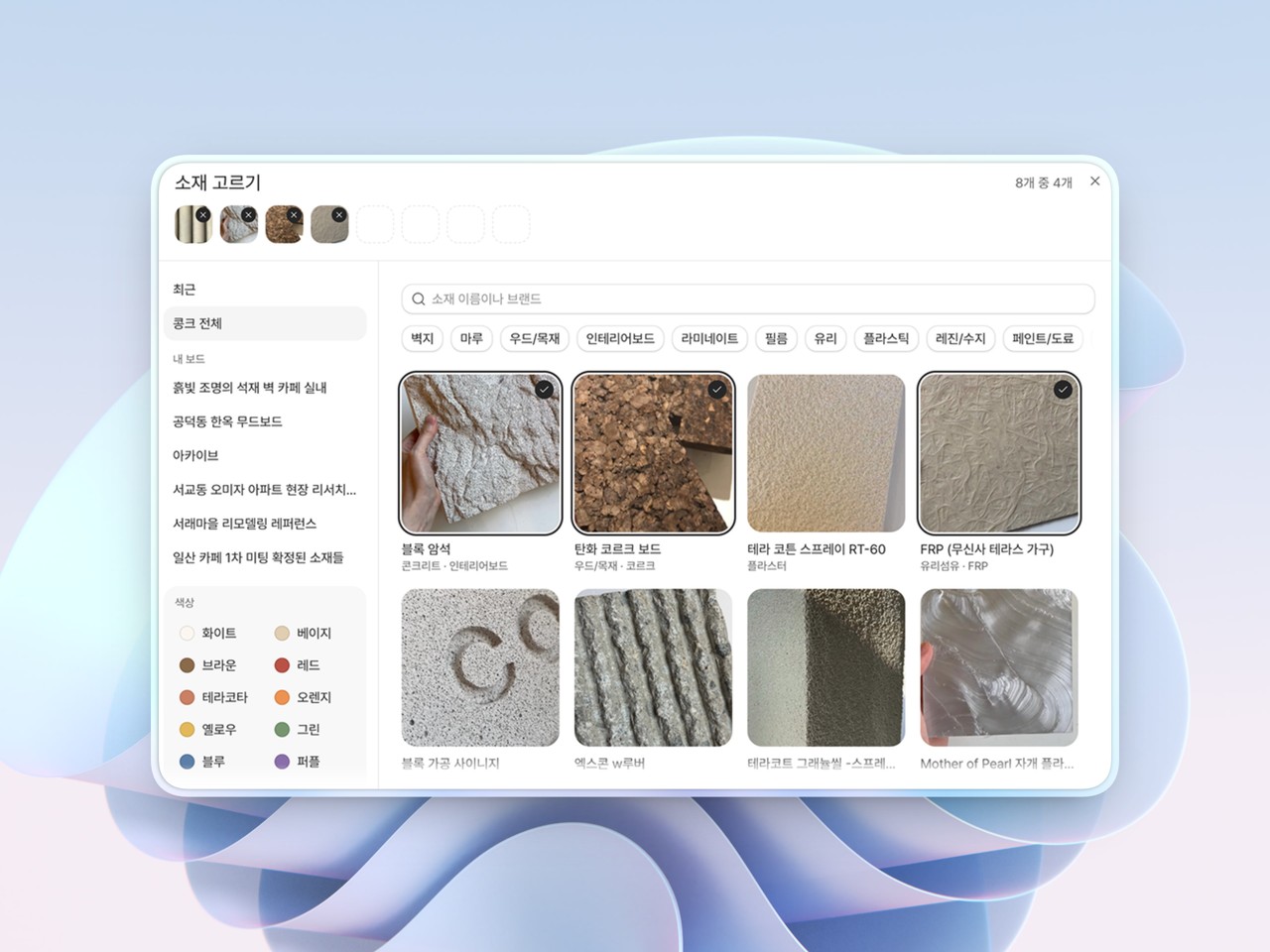
Laid out before you type: The material chooser now opens onto the whole catalogue. You pick by eye instead of reaching for a word first.
Reach it by color: Press a color or a material type to narrow what you see. A finish you cannot quite name is still one press away: gray brings up exposed concrete, stucco and terrazzo together.
Swap without closing: What you have picked sits along the top, with dashes for the places still to fill. You can take one out and put another in while the grid is still in front of you.
Available on Pro. Open a tool and start with a color.