Pick a few, then decide
You can pick several materials on Explore now. Put the ones you picked side by side, refill the grid with more like them, or save and draw with them in one go.
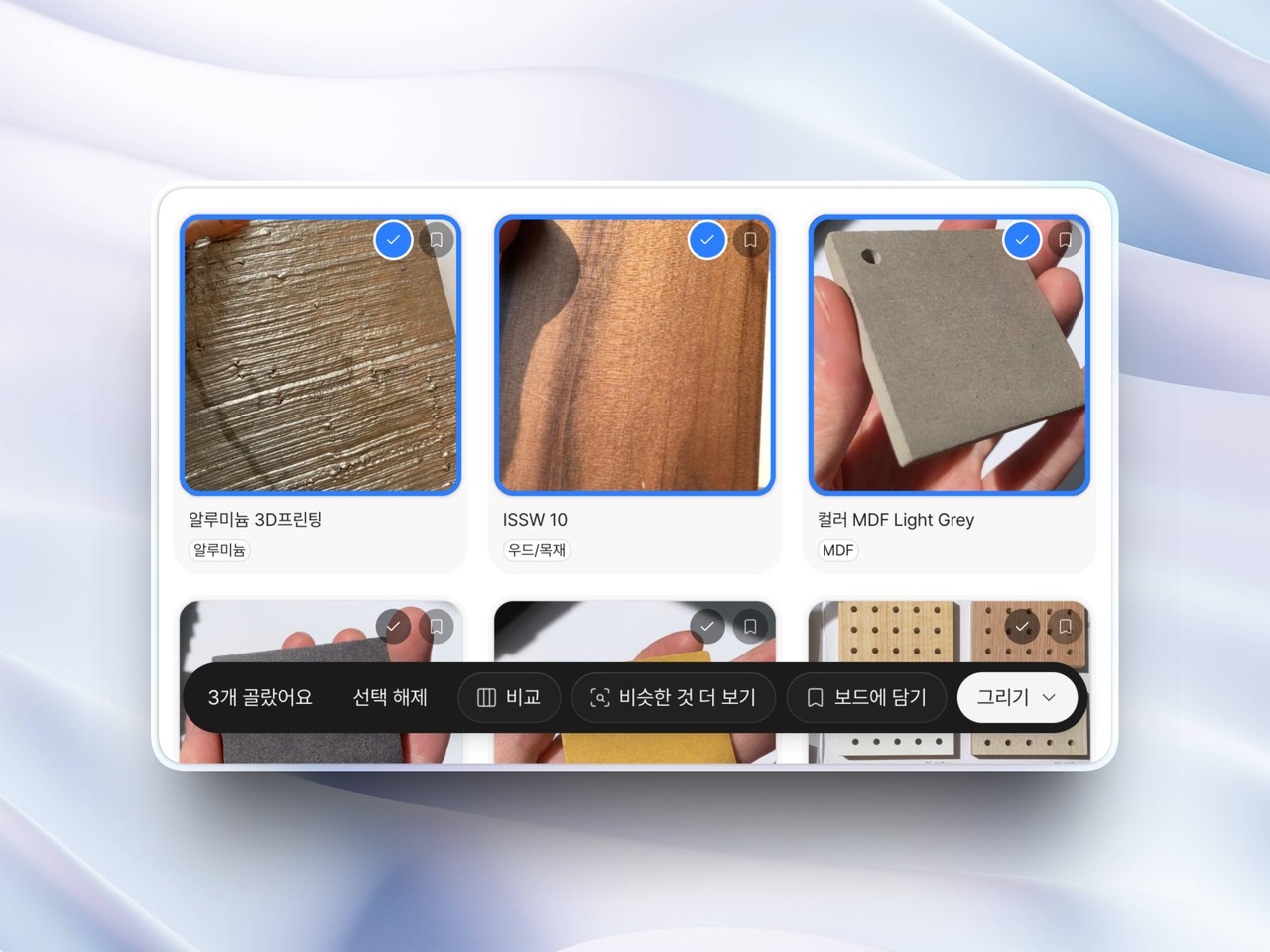
Explore handled one material at a time. Weighing three you liked meant three detail pages and a lot of tab switching, and saving them meant three separate bookmarks.
Color and texture do not compare well from memory. They have to sit next to each other. Now you can pick on Explore first and decide afterwards.
Pick from the card: Every card has a check on it now. Press it and the card gets a blue frame, and a bar at the bottom of the screen counts what you have picked. Once one is picked, pressing anywhere on a card picks it too, so there is nothing to aim for. Mixtapes and archives can be picked alongside.
Compare side by side: Compare on the bar lays your picks out in one table: price, dimensions, how to order, brand, supplier, and tags, one column each. Only rows with something in them are drawn, so the table stays short. Dropping one and comparing again happens in the same window.
Refill the grid with more like them: The samples tab refills with materials that share what your picks have in common. Anything from the same suppliers as your picks is left out, since the series you are already looking at is not what you are after. Your category and color filters still apply on top.
Save or draw: Save to board puts everything you picked on a board at once. Draw opens a mood board or a room with those materials already in place. What used to be save first, then go to the tool is one step. On a mixtape you can pick just a few tracks and save those.
Your picks stay on the bar at the bottom of the screen. Compare, drop one, compare again, then save, all without leaving Explore. Put a check on a few materials that catch your eye.