Gather the candidates, narrow to one
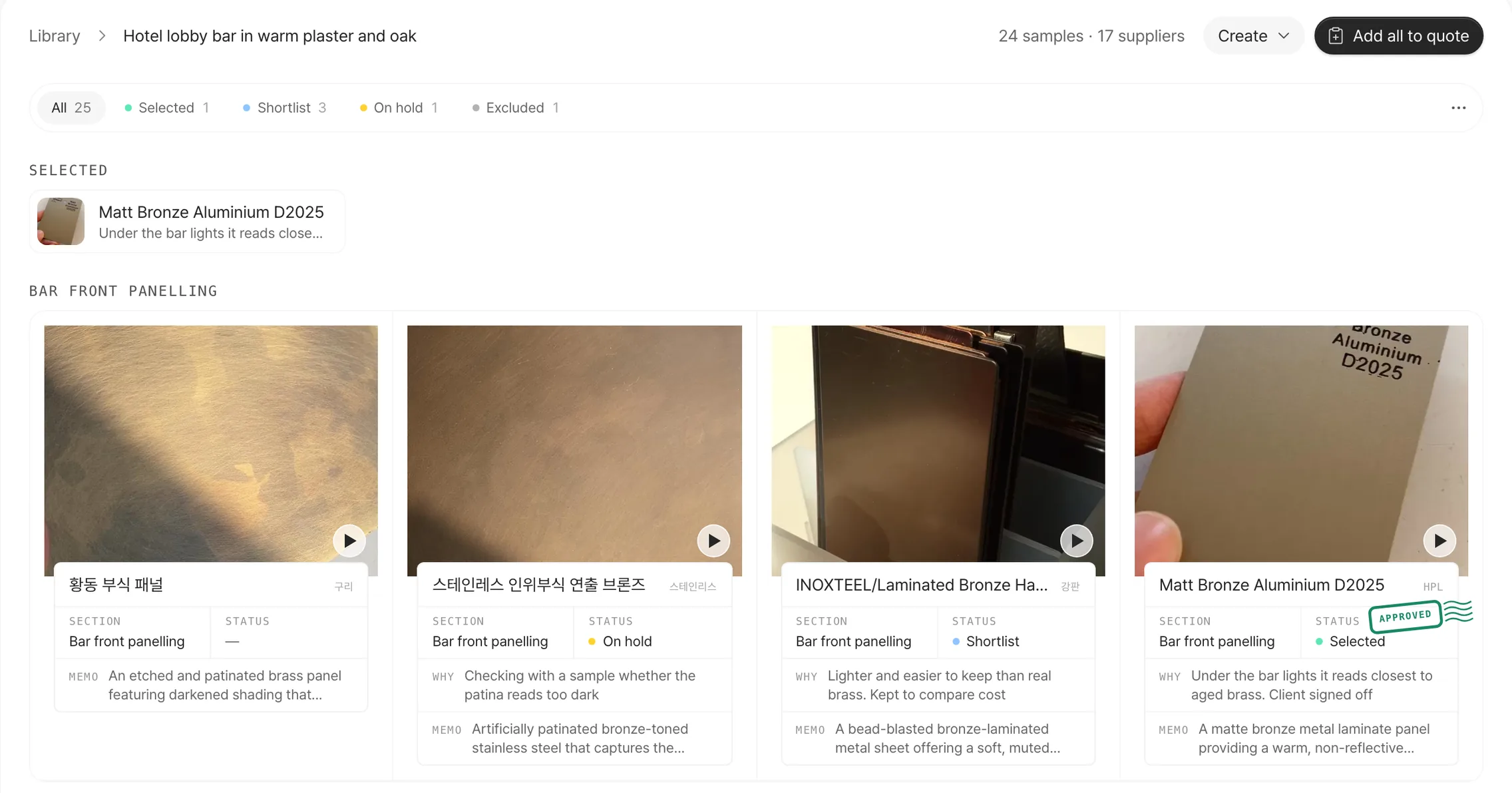
On a board, mark each material Shortlist, On hold, Selected or Excluded, and keep the reason with it. Selected materials gather at the top of the board.
Keep the why with the pick
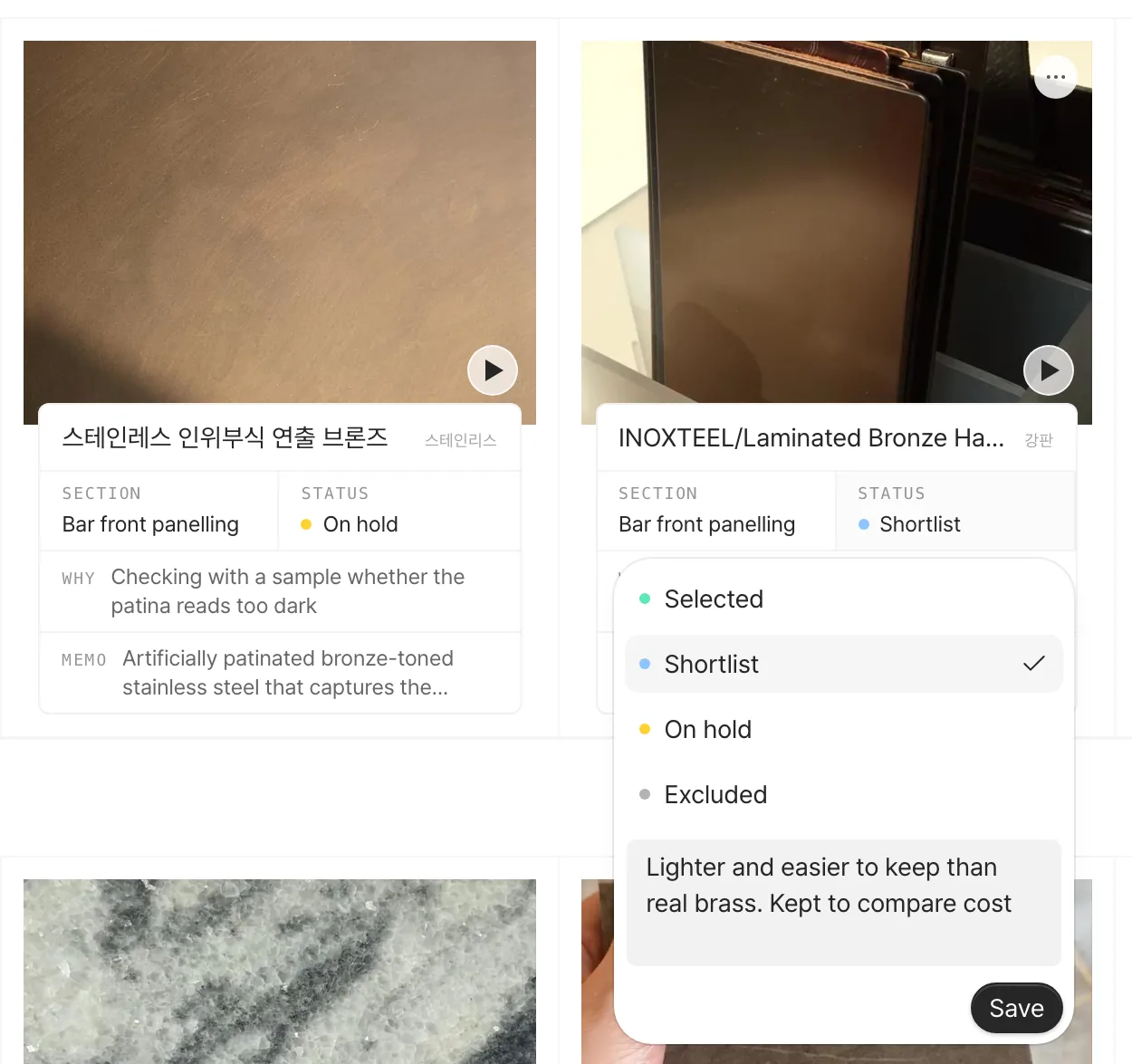
Press a card's STATUS to choose a status, then note the call in a line. The reason stays on the card, so days later, or when a teammate opens the board, it's clear why it went that way.
Split the board by where things go
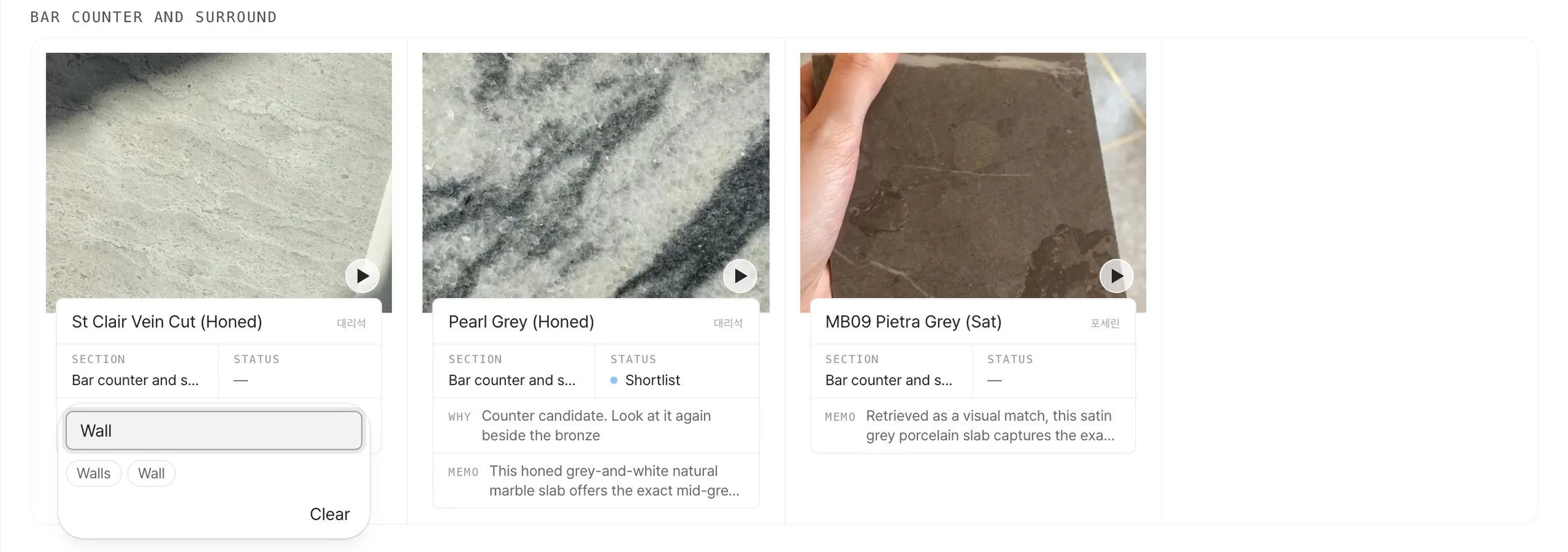
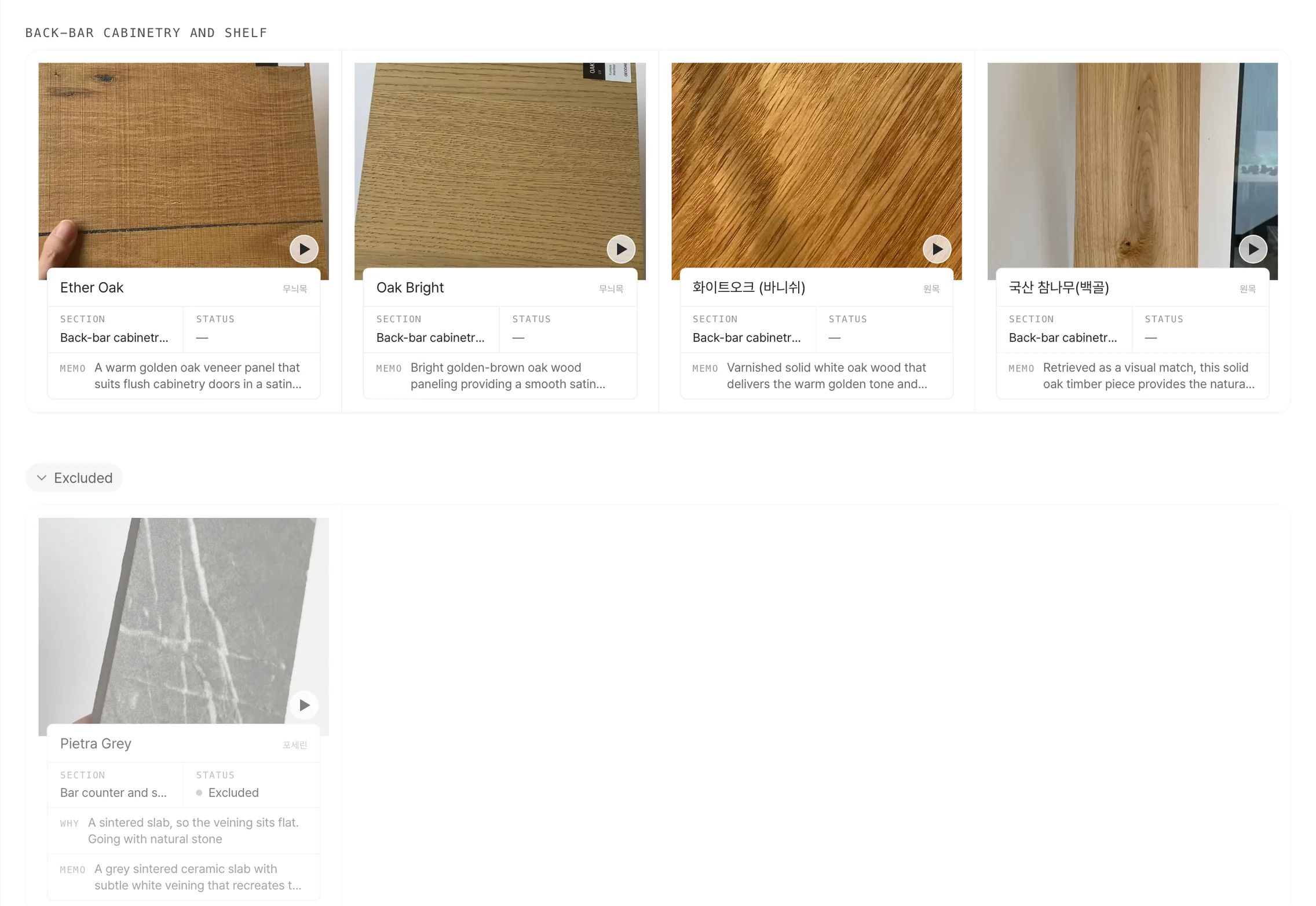
Make a section for each place a material goes, like the counter, floor or walls. Type a name in SECTION or press one of the names below it and the card moves there. Section names from your other boards show up too.
Put the candidates side by side
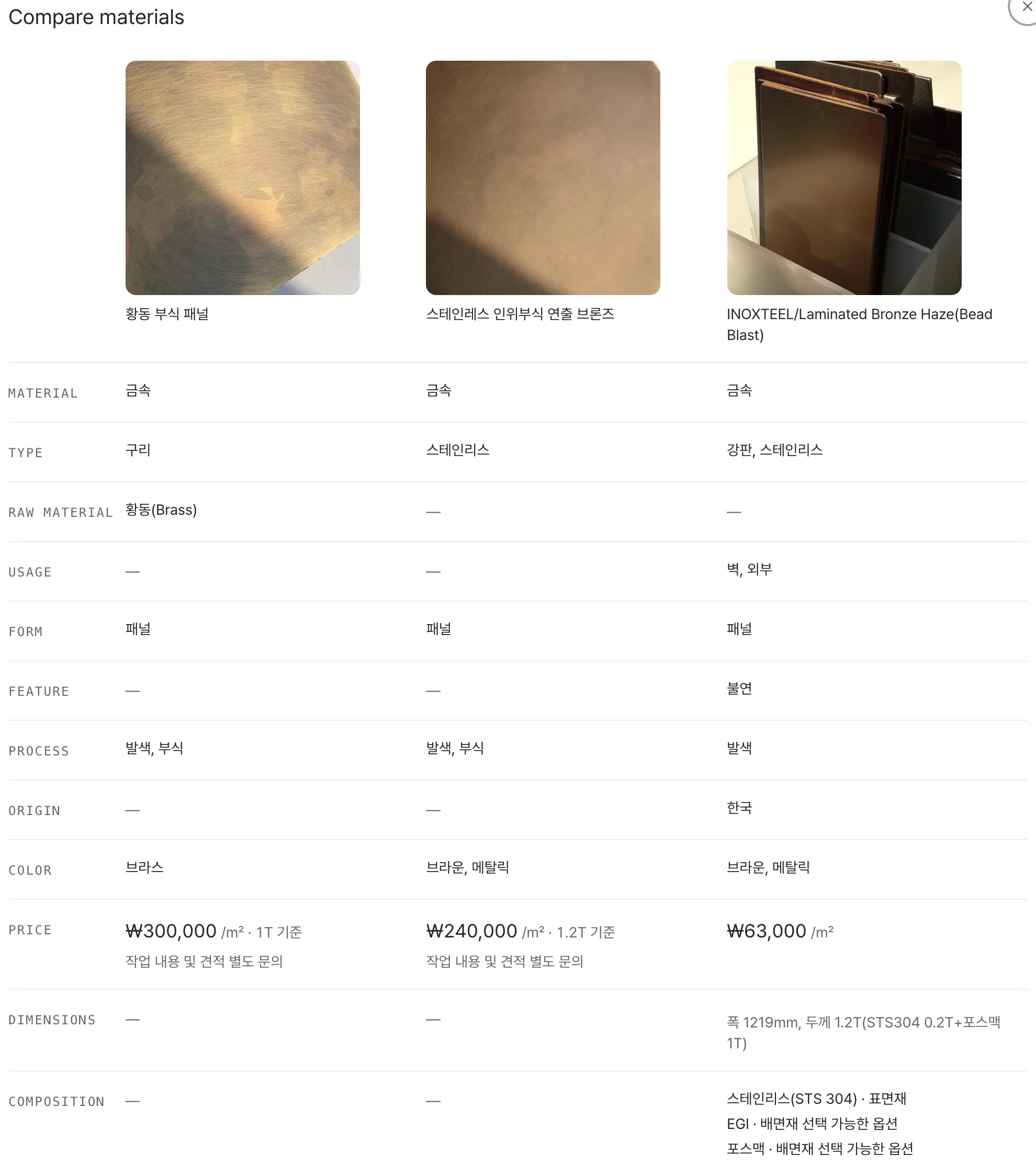
Pick a few cards with 'Pick to draw or compare', then press 'Compare' to get type, origin, price and dimensions in one table.
What you rule out stays, with its reason
Excluded materials fold away at the bottom of the board. Nothing is deleted, so you can see later why one was dropped, or change its status to put it back where it was.
- Filter by status
- Press 'Selected' or 'Shortlist' at the top of the board to see only those materials.
- Memos
- Leave a memo on any material. On a board made from a chat, the reason each material was picked is already in its memo.
- Copy to another board
- Use 'Copy to another board' in a card's menu, or pick several and press 'Save to another board', to put them on another project's board.
- Draw with your picks
- Make a moodboard or a scene straight from the materials you picked on the board.
Free accounts get 1 board (up to 20 materials) with status, sections, memos and compare. Prices and dimensions in the compare table, and drawing with your picks, are Pro. Pro has no limit on boards or materials.